Set up in under a minute
No account, no setup screens. Statly runs right inside Instagram. Three clicks and you're reading real numbers.
Pin Statly
Click the Extensions icon, find Statly, and pin it. From now on it's one click away on every Instagram tab.
Open Instagram
Click Statly and choose Instagram. We take you straight there.
Open Statly and explore
Click the icon and the Home dashboard opens, with every tool one click away.
Already on a creator's profile? Click Statly and it opens the Audit dashboard with that account's username already filled in, ready for you to scan, instead of landing on Home.
Home
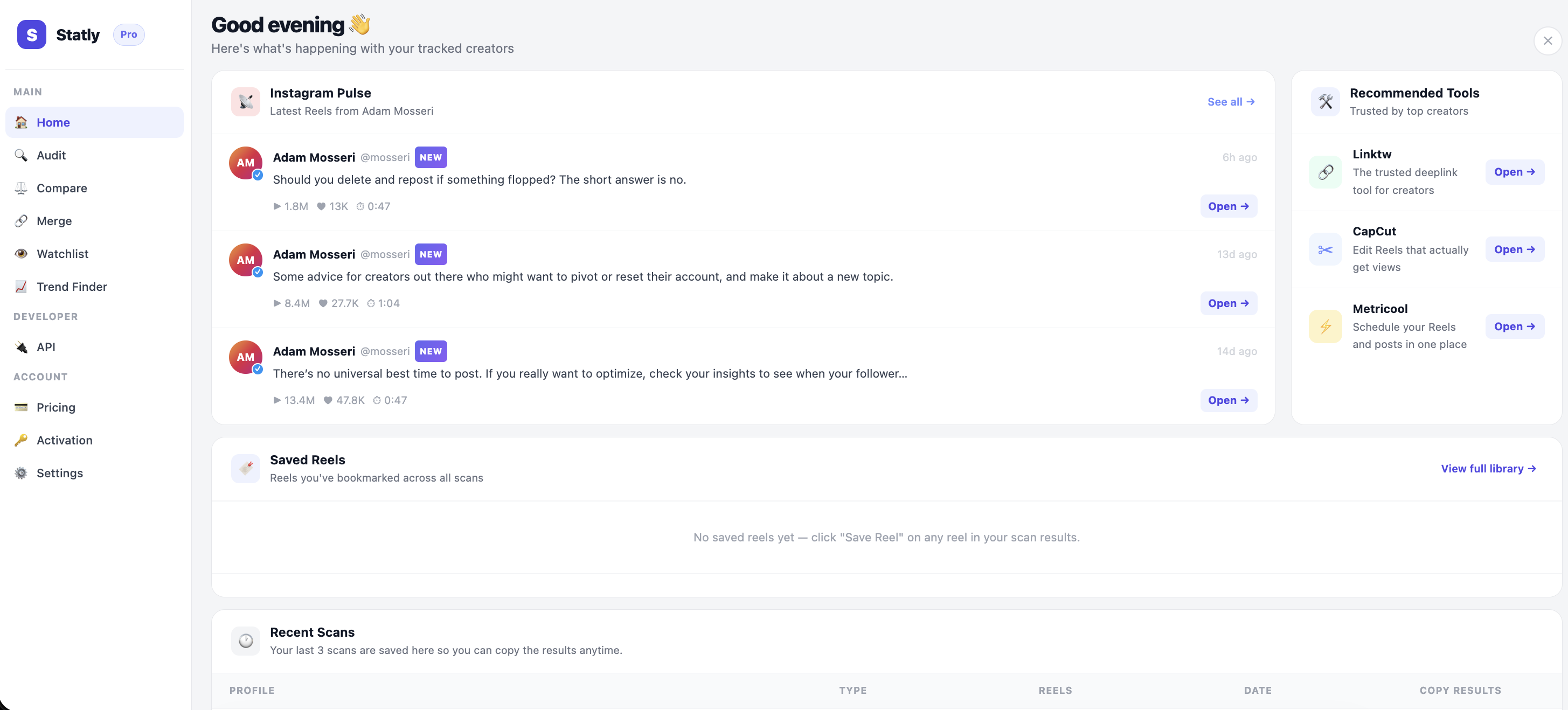
Your command center. Every tool lives in the sidebar, and three things greet you the moment it opens.
Instagram Pulse
Adam Mosseri's latest Reels, the moment he posts them. He runs Instagram, and his posts are mostly tips and insights on how the platform actually works, so you catch the advice straight from the source.
Saved Reels
Every Reel you've bookmarked, gathered in one place. Your swipe file, always a click away.
Recent Scans
Your last three scans, saved automatically, with results you can copy in a single tap.
Audit
The core of Statly. Pick any public profile, choose how much to look at (the last 30 to 180 Reels, a custom count, or a date range), and hit scan.
Seconds later you see the full story of that account: which Reels are actually working, the patterns behind their best ones, how often and when they post, and what's pulling ahead of the rest. You stop guessing and start copying what already works.
Save the standouts to your library, or download the Reels to study or repurpose.
Compare
Two profiles, one screen, scanned over the same window. See exactly who's winning and where, metric by metric. The fastest way to size up a competitor or vet a collaborator before you commit.
How to use it: pick two usernames, set the depth, and Statly runs both head to head.
Merge
Plenty of creators and brands run more than one account. Merge scans several at once and combines them into a single report, so you see their whole footprint as one picture instead of scattered profiles.
How to use it: add the accounts, set the depth, and Statly blends them into one analysis.
Watchlist
Your roster of accounts worth watching, organized into folders by niche, client or competitor. Save them once, then hit Scan All to refresh every account in a folder in a single click.
Each account gets the full treatment: 90 Reels of history, performance over time, posting heatmaps, viral patterns and performance tiers. See how the accounts that matter move, week after week.
Trend Finder
Find what's going viral in your niche before it peaks. Group competitors into niches like "Fashion" or "Fitness," and Statly pulls the latest Reels from each, then surfaces the outliers, the posts pulling far above the norm.
How to use it: build a niche, add accounts, scan. Then browse every Reel in one place and filter by the KPIs that matter to find the patterns worth copying.
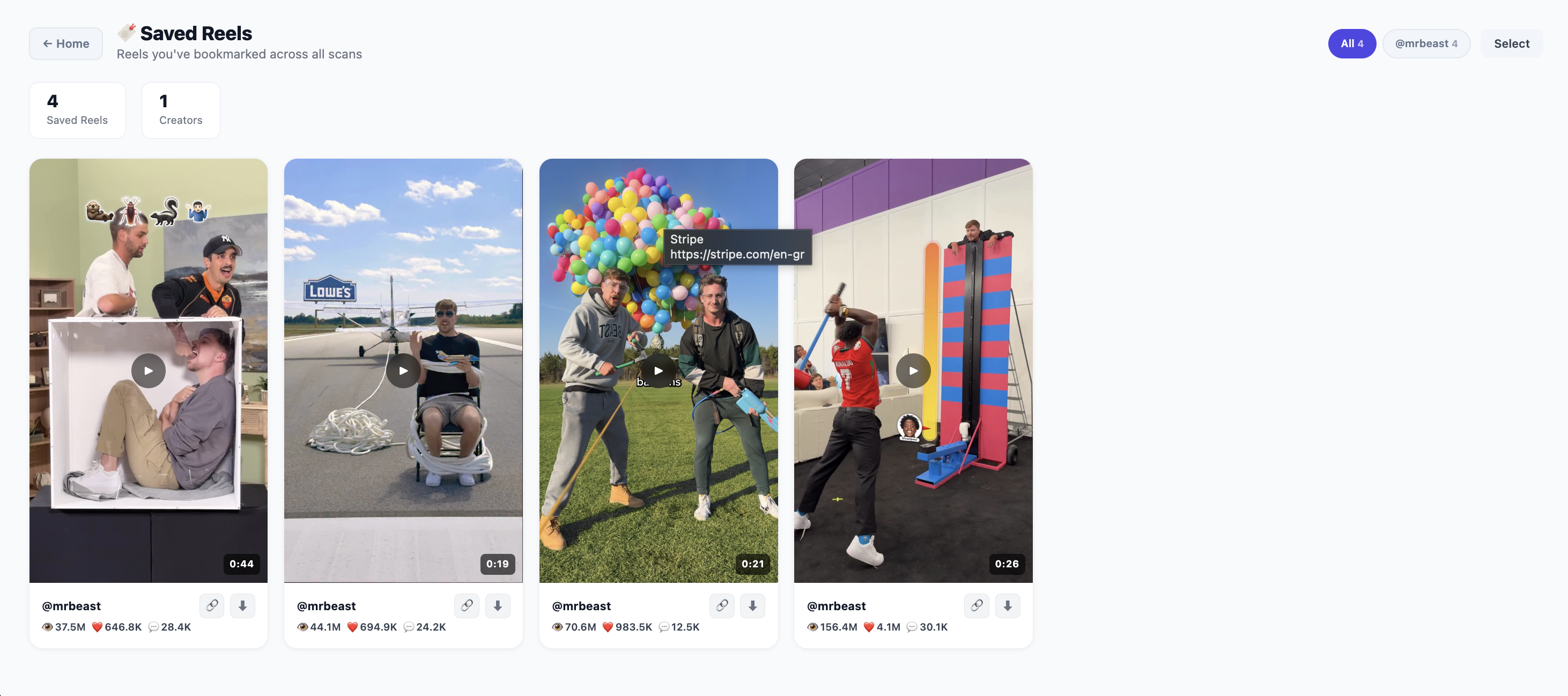
Saved Reels
Your swipe file, building itself. Hit Save Reel on any standout inside Audit, Compare or Merge and it lands here, and in your Watchlist too, ready whenever you need a proven reference.
Open the library anytime to revisit, or download every saved Reel in one go.
The API
Want Statly's data inside your own tools? The API lets you pull the same Reel analytics programmatically. It runs through your extension, so keep Statly open and signed in to Instagram, and it handles the scans for you.
How to use it: grab your private key from the API tab, start a job with a username and how many Reels to pull, poll until it's done, then read the full data back. That's it.
# 1 · Start a job
POST /api/job  { "username": "creator", "count": 90 }
→ { "job_id": "..." }

# 2 · Poll until it's ready
GET  /api/job/{job_id}  → still scanning...

# 3 · Get the data back
GET  /api/job/{job_id}  → full reel data
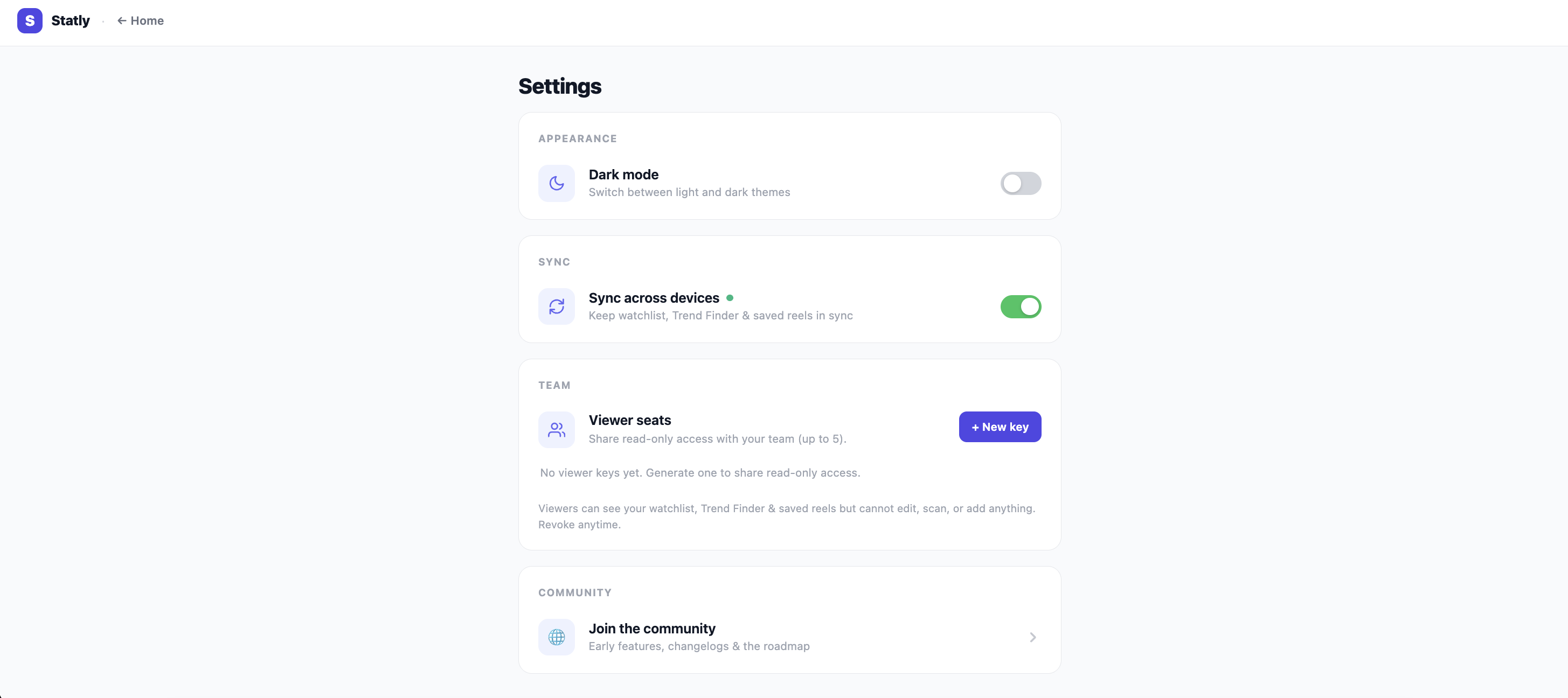
Settings
Make Statly yours.
Dark mode
Switch between light and dark in a tap. Easy on the eyes for long research sessions.
Sync across devices
Keep your watchlist, Trend Finder and saved Reels in sync across every device you use Statly on.
Team and viewer seats
Share read-only access with up to five teammates or clients. They can view your watchlist, Trend Finder and saved Reels, but cannot edit, scan or add anything, and never touch your scan credits. Revoke access anytime.
Good to know
No. Statly reads public data on the pages you already have open, using your normal Instagram session. You never hand over a password.
Any public Instagram profile. Type the username, pick your depth, and scan.
Up to the last 180 Reels, a custom count, or any date range, with full KPIs and charts on every scan.
Instagram Reels today. More platforms are on the way.
Chrome and Chromium browsers like Edge, right inside the tabs you already use.
Enough reading. Go find your first winner.
Open a public profile, click Statly, hit Scan.
Everything else is one click away.