01
Add your niches and profiles.
Create a niche and add the public profiles you want to follow, grouped by topic, brand or client.
Statly monitors Instagram, TikTok, YouTube and X accounts daily and flags the videos outperforming their account’s baseline on views, engagement and growth.
01
Create a niche and add the public profiles you want to follow, grouped by topic, brand or client.
02
Pick a daily ready-by time in your local time zone. By default, Statly scans the last 30 days.
03
Every video is scored against its own account’s baseline, so the breakouts in your niche stand out.
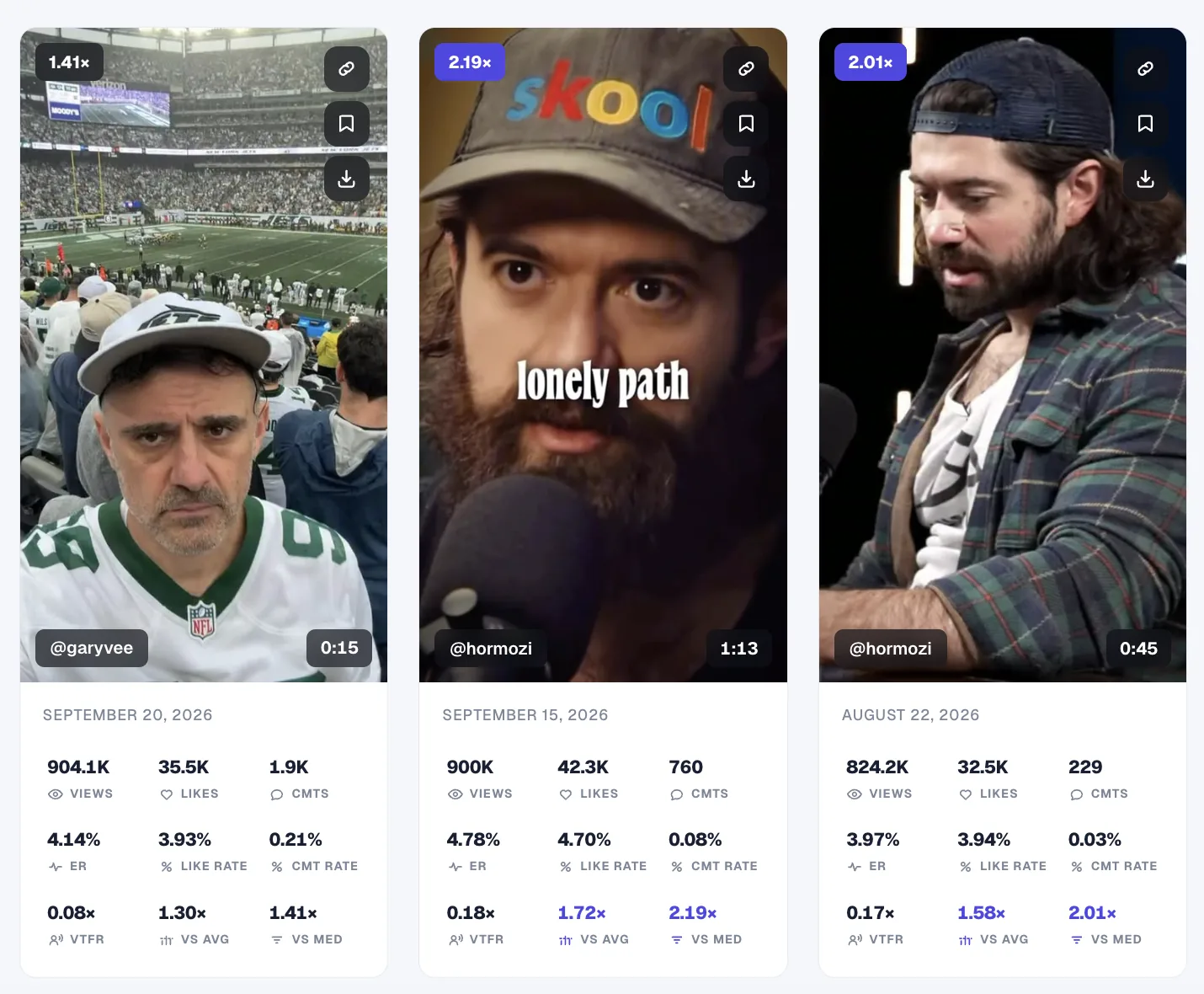
See what’s taking off across every niche you track, without scrolling account by account.
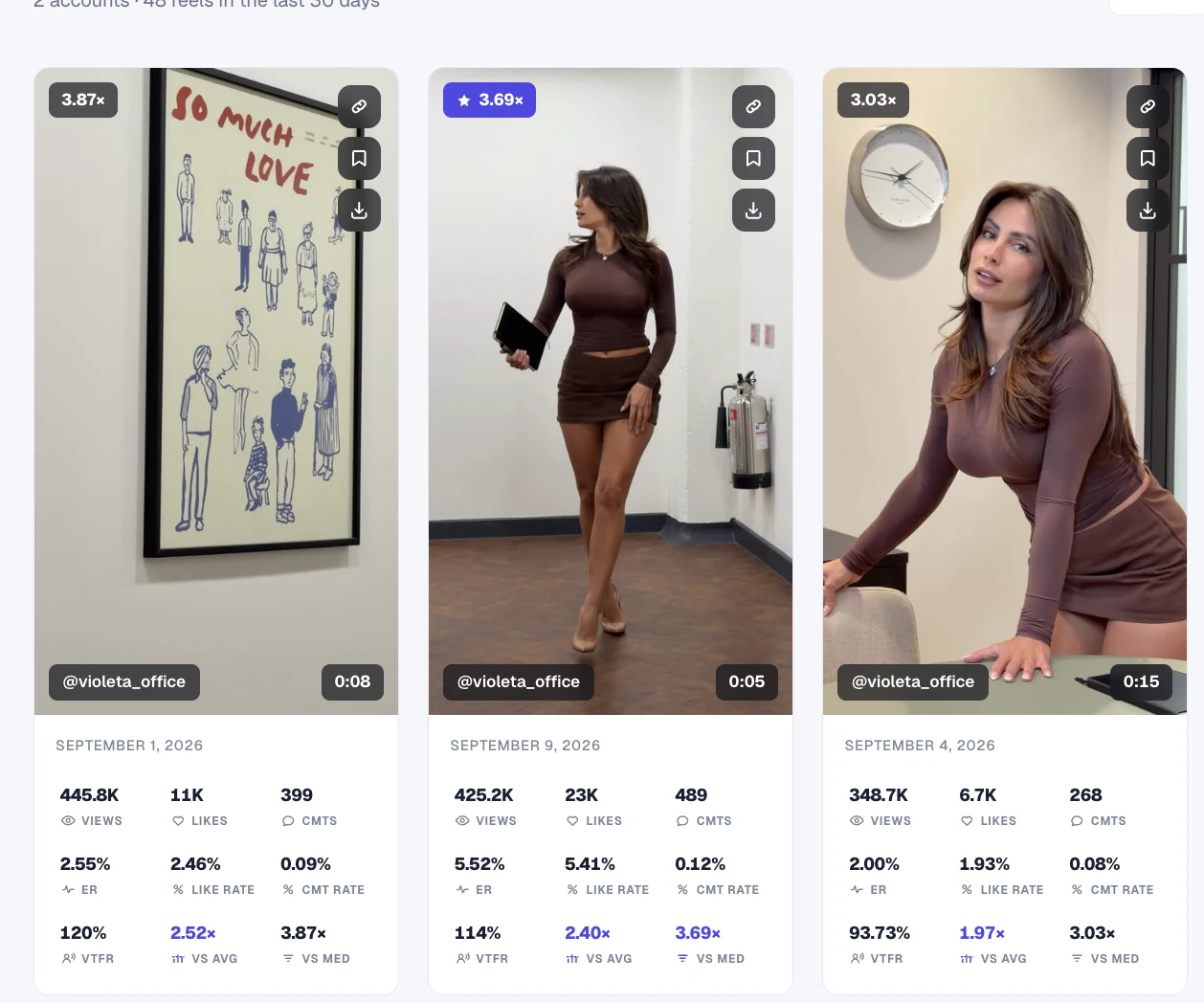
Compare each Reel with its creator’s usual performance. Find the outliers, open the original, and keep the ideas worth studying.
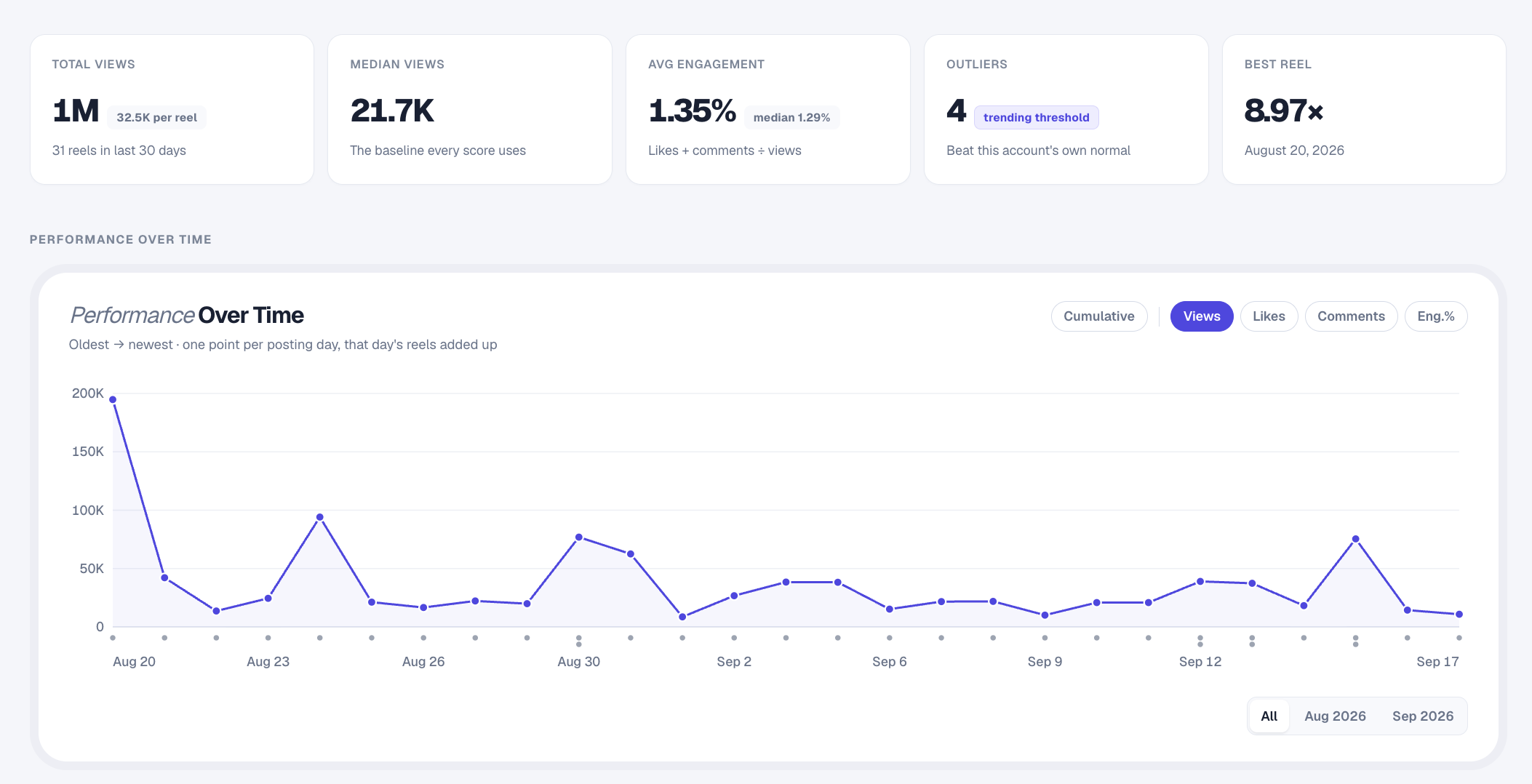
Open any tracked profile for an in-depth view of its Reels and performance.
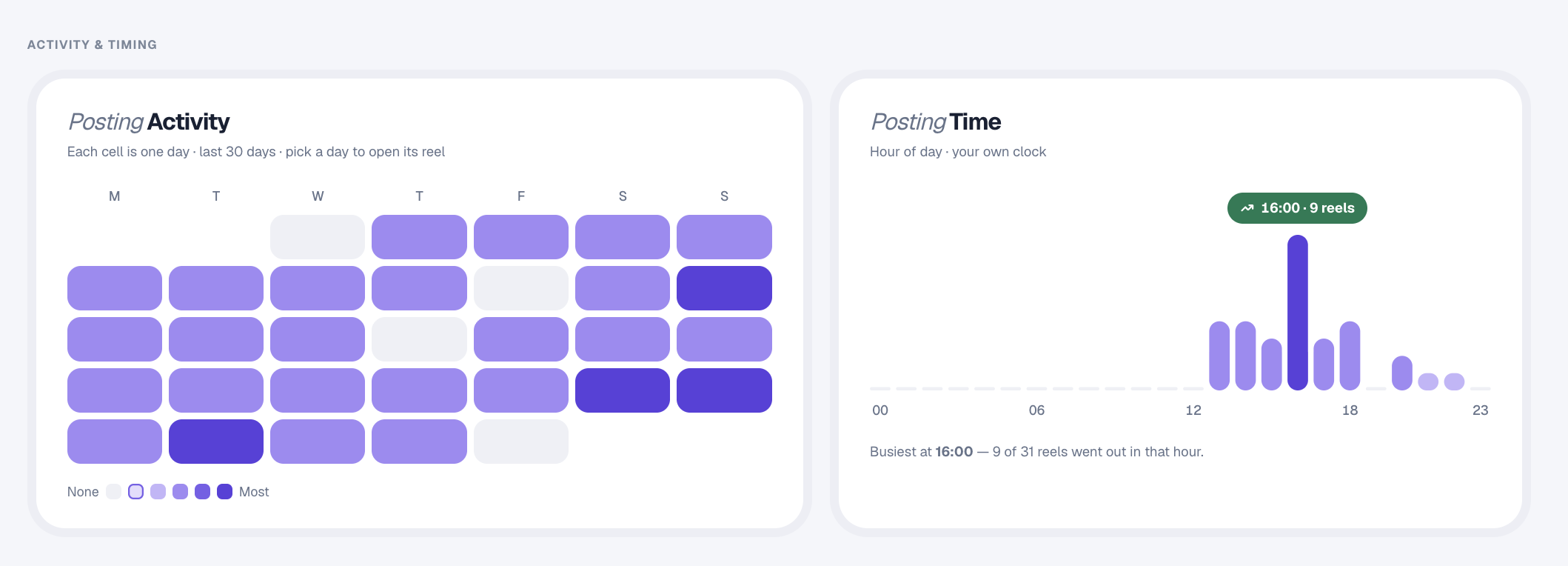
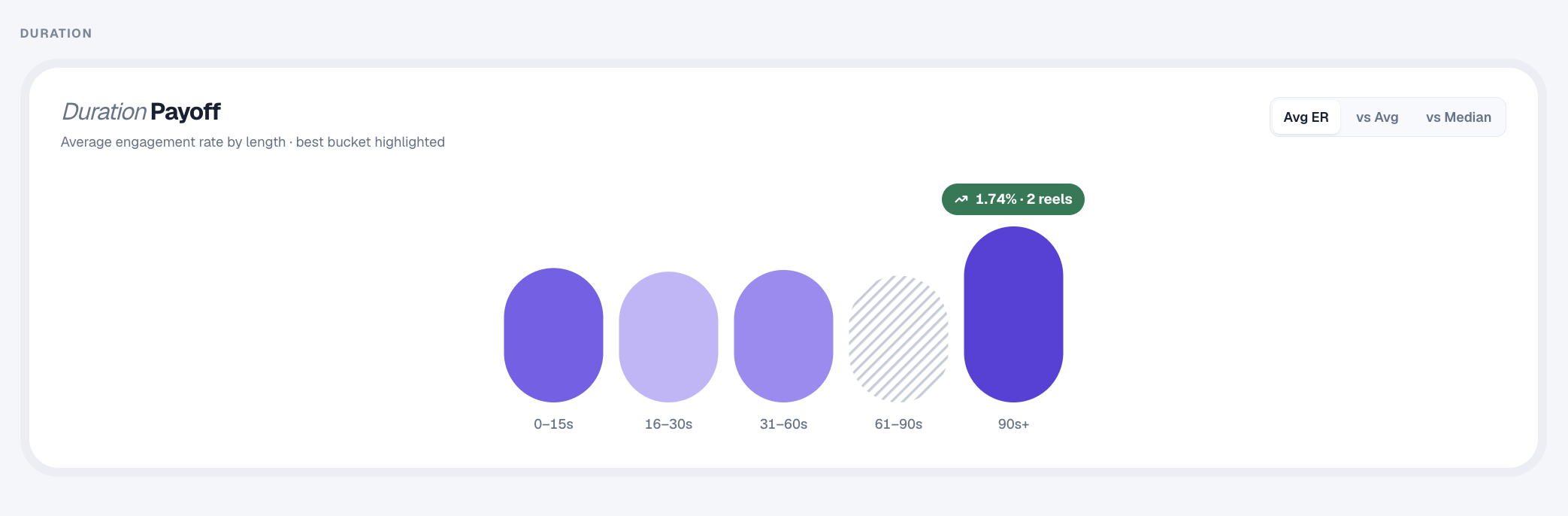
Compare engagement across video lengths to see which formats earn attention.
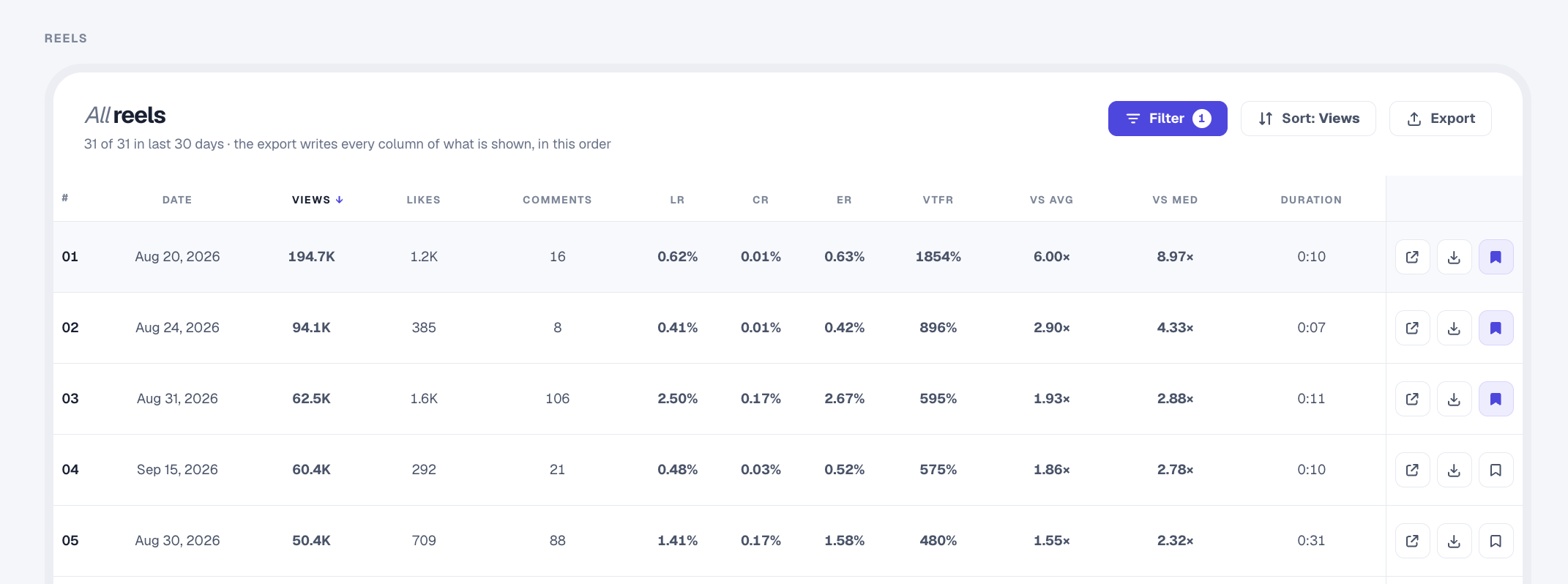
Filter the standouts, save your references, and download the Reels you want to study.
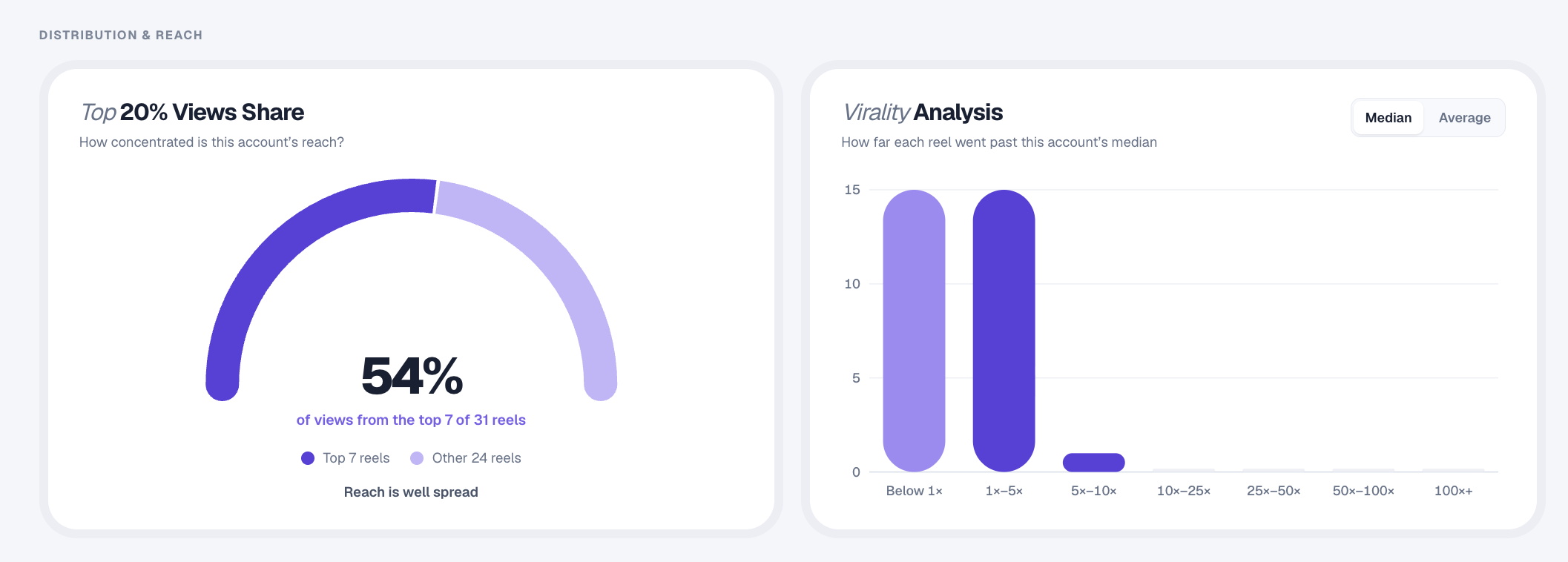
See where reach comes from and how far each Reel rises above a profile’s baseline.
Statly captures each public video’s views every 24 hours and compares its growth with that account’s usual pace.
When a video accelerates beyond its baseline, you see the breakout while it is happening, not weeks after it peaks.
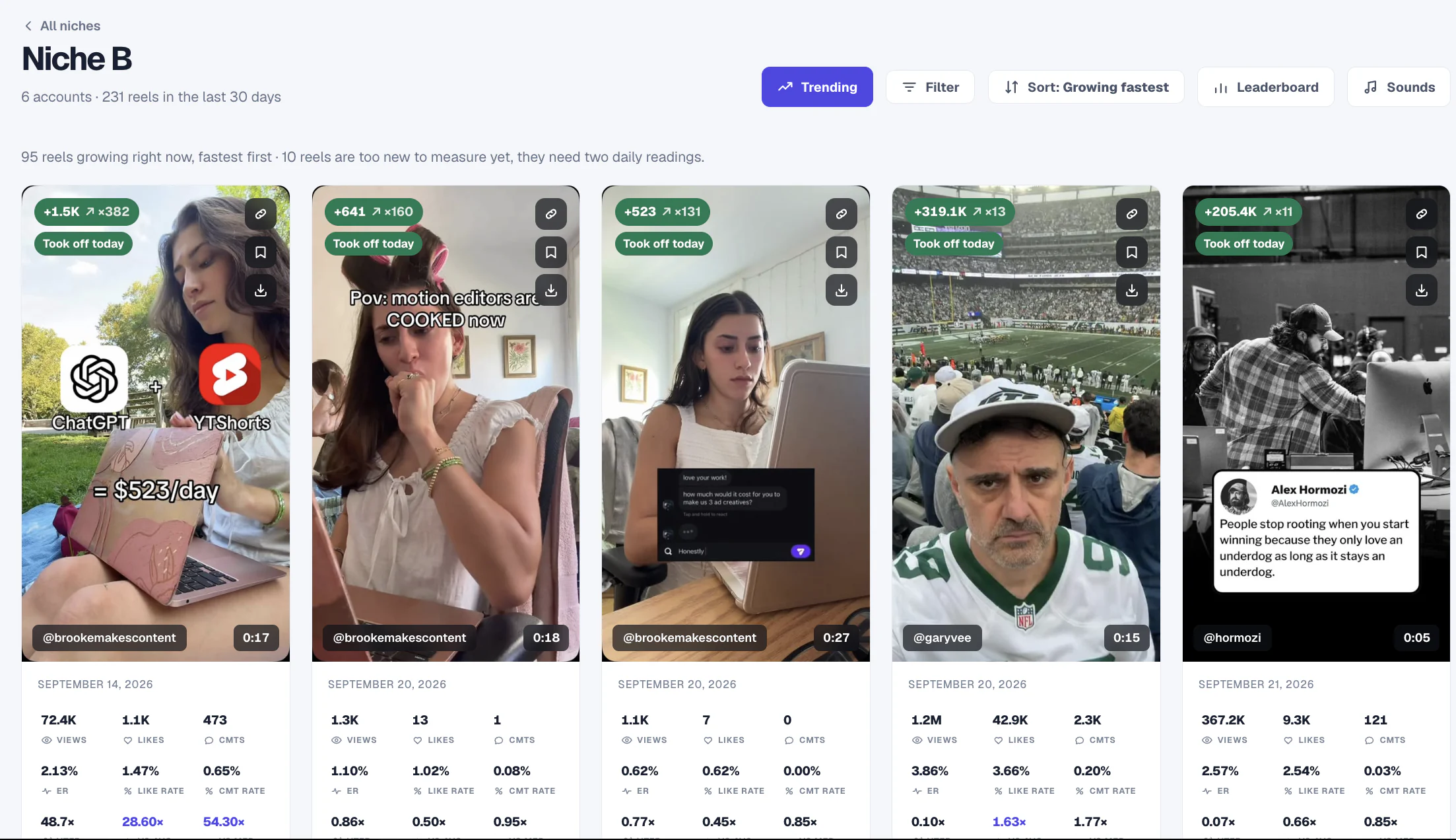
Track public Instagram, TikTok, YouTube and X accounts with Statly. Bring updates into Telegram, Discord or Slack, right where your team works.
 Statly
Connect Claude, ChatGPT or Cursor to your Statly workspace with MCP, then ask in plain English.
Great add-on that helps you study videos for clients or personal use. The founder genuinely cares about quality.
 Gintaras KazlauskasGrowth lead, Mediavine Co.
Excellent service. First time I had an issue it was resolved within a few hours after reaching out. Thanks.
 Freek van LoonAgency owner
I love using Statly to study what content works for different niches and audiences. Super clean and simple, yet powerful.
 Reza SaffariSocial media manager
You can use Statly to find your competitors' most viral reels in seconds. Honestly a game changer for my research.
 Carla TorresMarketer · 136K followers
It's so worth it and I use it every single day. Finding what reels pop in my niche used to take hours, now it's one click.
 Ava MitchellContent creator · 432K followers
Statly makes it easy to analyze outlier performance, the best videos from competitors, without guessing which ones did well.
 Kai AnderssonCreator · 393K followers
€39€468per monthper year
For creators building a consistent research habit.
Billed monthly.
≈ $43.71 USD
€89€1,068per monthper year
For social media managers tracking more niches.
Billed monthly.
≈ $99.75 USD
Options
+1,000 videos for €20/month, up to 2,000 (monthly billing)
No card needed · 500 videos · 3 days
€179€2,148per monthper year
For agencies researching across clients.
Billed monthly.
≈ $200.62 USD
Options
+1,000 videos for €20/month, up to 2,000 (monthly billing)
Custom pricing
A plan tailored to your team, with custom video capacity and refresh schedule.
Talk with usStatly is a video and post analytics and account-tracking tool for Instagram, TikTok, YouTube and X. It scans active public accounts daily, checks accounts quiet for 14 days or more weekly, and compares each video’s or post’s performance with its creator’s typical results.
Statly compares each video’s or post’s views with the median views of the account that published it. This identifies content that performs unusually well for that creator, not simply videos and posts from accounts with the largest audiences.
You can track any public Instagram, TikTok, YouTube or X account, including your own accounts, competitors and creators in your niche. You don't need the account's password or any access to it.
No. Statly only reads what is publicly visible, so private accounts can't be tracked.
Active accounts are scanned daily at the ready-by time you choose. Accounts quiet for 14 days or more are checked weekly. Scans run on Statly’s servers, so you don’t need to keep your browser open.
Statly scans the last 30 days by default. You can choose a 7-, 14-, or 30-day scan window in Settings. Videos and posts within that window count toward your plan’s capacity.
The Statly Chrome extension analyzes content while you browse. The web app scans active Instagram, TikTok, YouTube and X accounts daily, checks accounts quiet for 14 days or more weekly, and keeps the results in shared workspaces for your team.
Yes: a free preview. Track 500 videos for 3 days, no card needed. After 3 days the scans stop and your data stays in your account until you pick a plan.
No. You only add a card when you choose a plan.
Daily scans pause and everything you found stays visible. Pick a plan and they start again, with all your accounts and saved videos kept.
Yes, move up or down any time from Settings.
There's no account limit. Each account uses its recent videos and posts, at least 12 (10 on TikTok), so you can add accounts until your video and post capacity is full.
Nothing stops. Every account is still scanned each day, newest videos first. The oldest videos of each account stop updating and keep their last numbers, and new accounts can't be added until you're back under. Remove accounts you no longer need to free up space, or add extra videos on Scale and Agency.
Yes. Statly supports shared workspaces with viewer, editor, and admin permissions. Starter includes five seats, Scale includes ten, and Agency includes unlimited seats. Use separate workspaces to organize clients or brands and control who can access each one.
Yes. Statly lets you export each data table to CSV for further analysis, reporting or sharing with your team.
Statly finds the signal before it disappears into the feed.
Start tracking from $0No card needed · 500 videos · 3 days