Keep your competitive set in one place
Group competitors, category leaders and reference accounts into niches, and stop checking profiles one by one.
Statly follows your competitors’ public Instagram, TikTok, YouTube and X accounts and scores every video or post against the account’s own median. Know what gets attention in your category before you write the next brief.
No card needed · 500 videos · 3 days
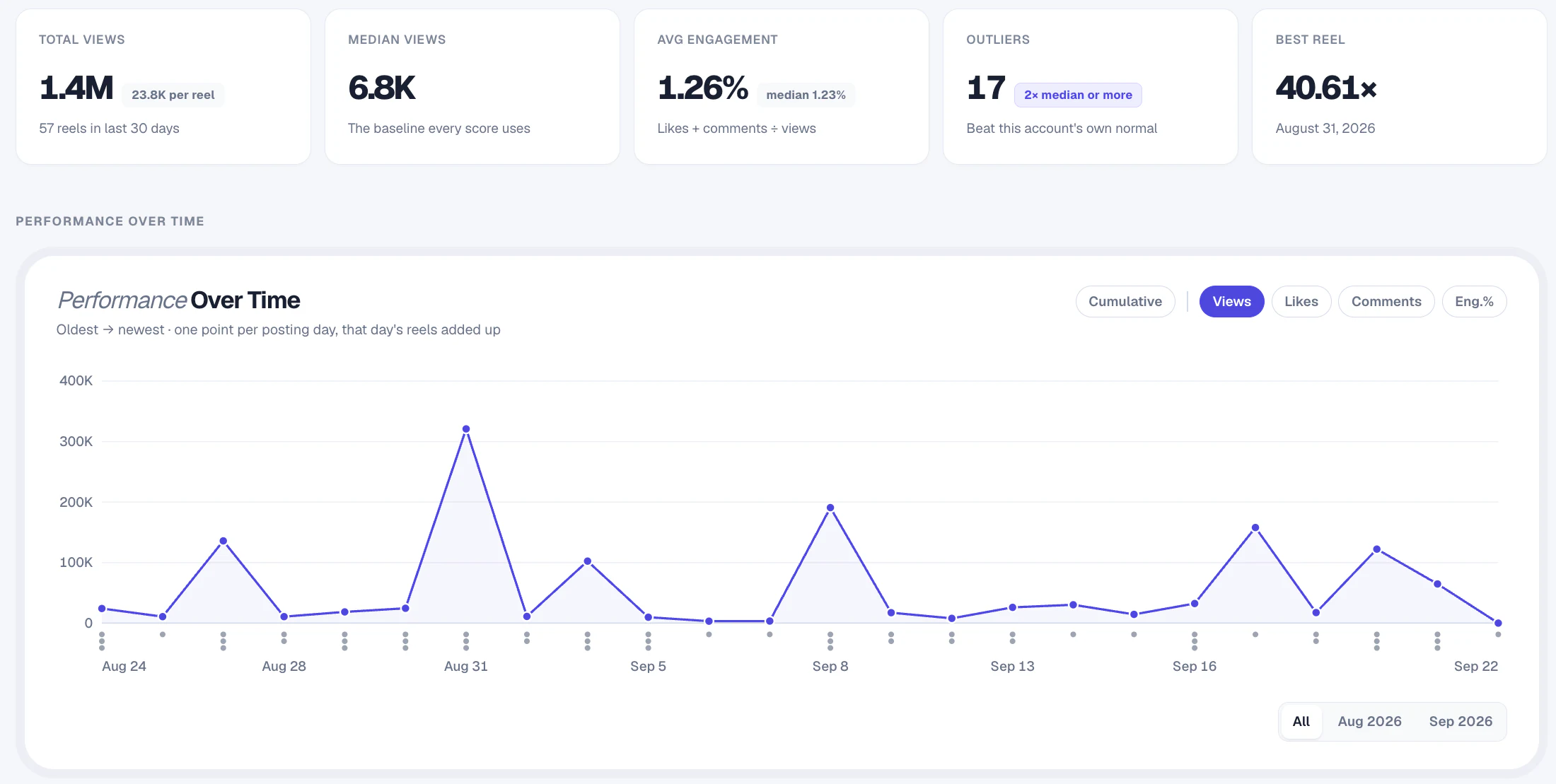
Each video is compared with its account’s median views, so you can tell a real breakout from a big account’s normal day.
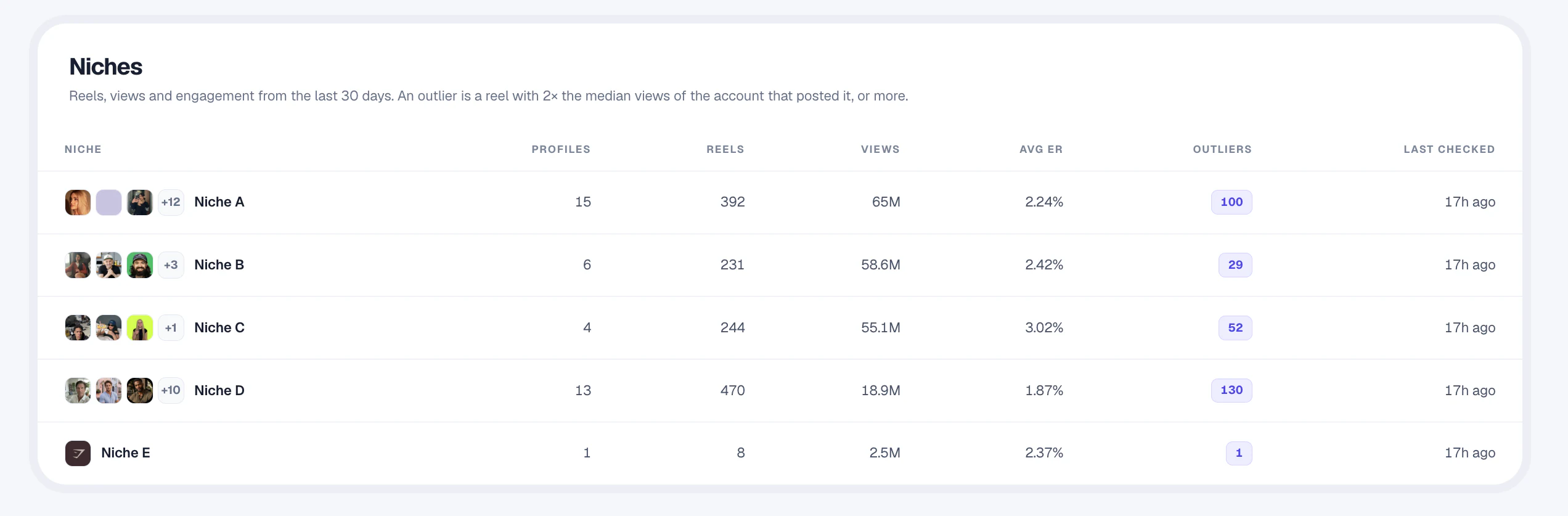
Group competitors, category leaders and reference accounts into niches, and stop checking profiles one by one.
Scores against each account’s own median show which videos overperformed, not just which accounts are biggest.
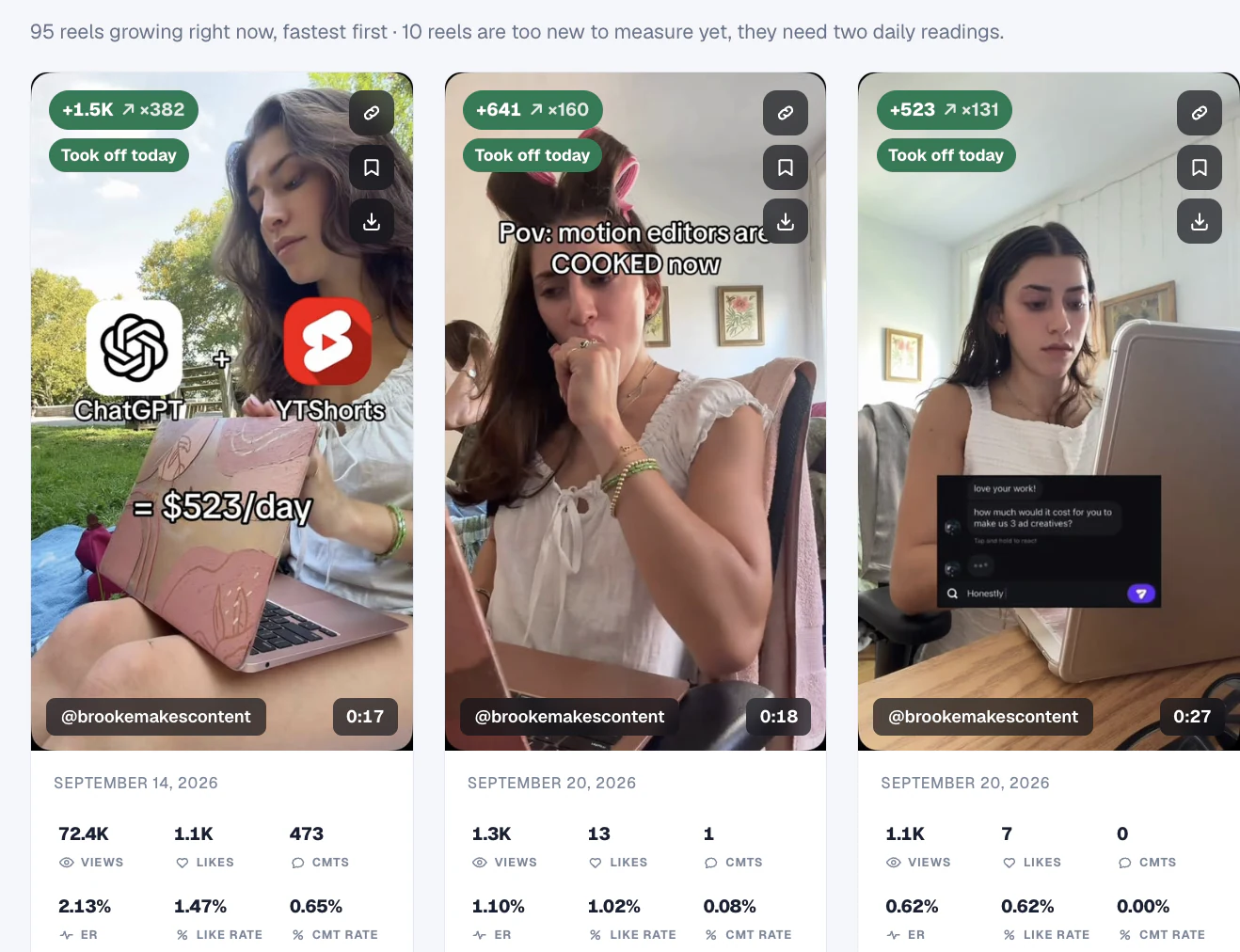
Trend Finder sorts videos by how fast they’re growing, so you see what’s taking off in your category today.
Statly reads your category every day. Your team decides what to test.
Add the public accounts that share your audience, category or content themes. Keep different questions in separate niches.
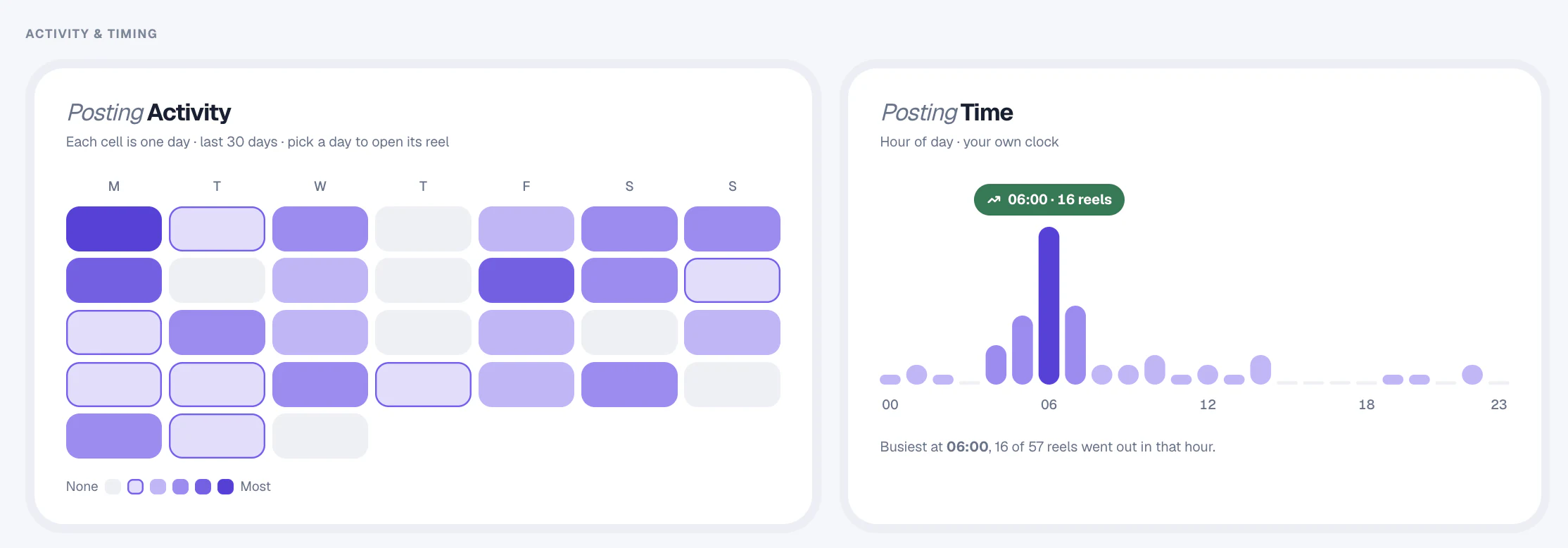
See when each competitor posts, how often, and which video lengths earn the most engagement. Active accounts are scanned daily by the time you choose.
Pick the topics and formats that keep overperforming, adapt them to your brand and measure them against your own goals.
Save reference videos and export any table to CSV for your decks, spreadsheets and planning docs.
Invite teammates as viewers, editors or admins, and send updates to Telegram, Discord or Slack.
Public performance doesn’t reveal sales, ad spend, paid reach or conversions. Use Statly alongside your own campaign data.
Add their public profiles to a niche in Statly. Active accounts are scanned daily and accounts quiet for 14 days or more are checked weekly. Statly shows each video's or post's views, likes, comments, engagement rate and how far it beat the account's median views.
No. Public video performance doesn't reveal sales, conversions, ad spend or paid reach. Statly is for content research, used alongside your own campaign data.
Active accounts are scanned daily; accounts quiet for 14 days or more are checked weekly. You choose a local ready-by time and a 7-, 14- or 30-day scan window.
Yes. Every data table exports to CSV. On Scale, Agency and custom plans you can also read your workspace through the read-only Statly API.
No. Statly reads publicly visible data only, so it never needs a login. Private accounts can't be tracked.
Social listening tools track mentions and conversations. Statly focuses on short-form video performance: which videos, on which accounts, beat their usual results, and what they have in common.
More solutions: For creatorsFor agenciesFor social media managersFor operatorsFor developers
Follow your competitors every day and see what’s working before you plan.
Start tracking from $0No card needed · 500 videos · 3 days