Find ideas that already worked
Trend Finder ranks the videos in your niche by how far they beat their creator’s usual views, including breakouts on small accounts.
Statly scans active Instagram, TikTok, YouTube and X creators in your niche daily, checks accounts quiet for 14 days or more weekly, and shows you which videos and posts beat their usual views.
No card needed · 500 videos · 3 days
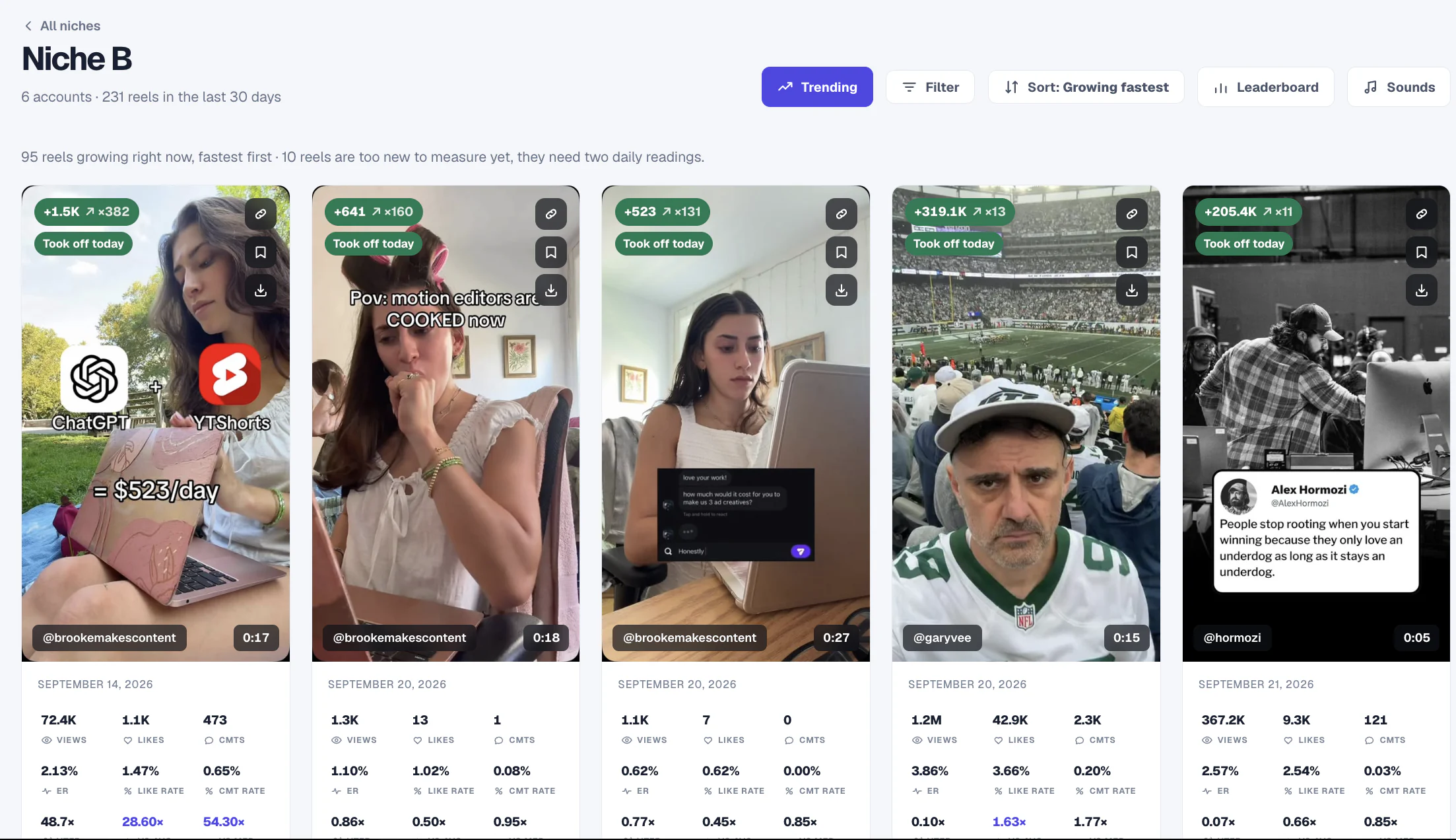
Every video is compared with its own account’s median views, so the ideas that really overperformed stand out, even on small accounts.
Trend Finder ranks the videos in your niche by how far they beat their creator’s usual views, including breakouts on small accounts.
Sort by growing fastest to see which videos are picking up views right now, while the idea is still fresh.
See the top sounds across your niche and how many outlier videos used each one.
Statly does the reading every day. You decide what to make next.
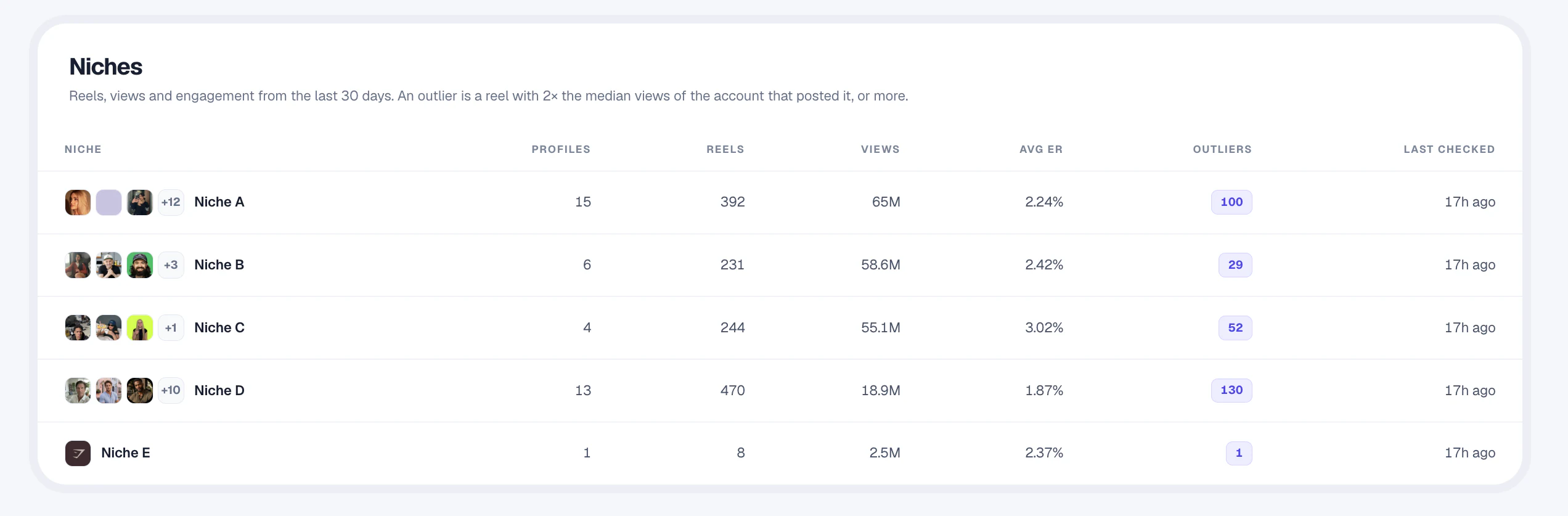
Add the public creators you learn from, and your own account, grouped into niches by topic or format.
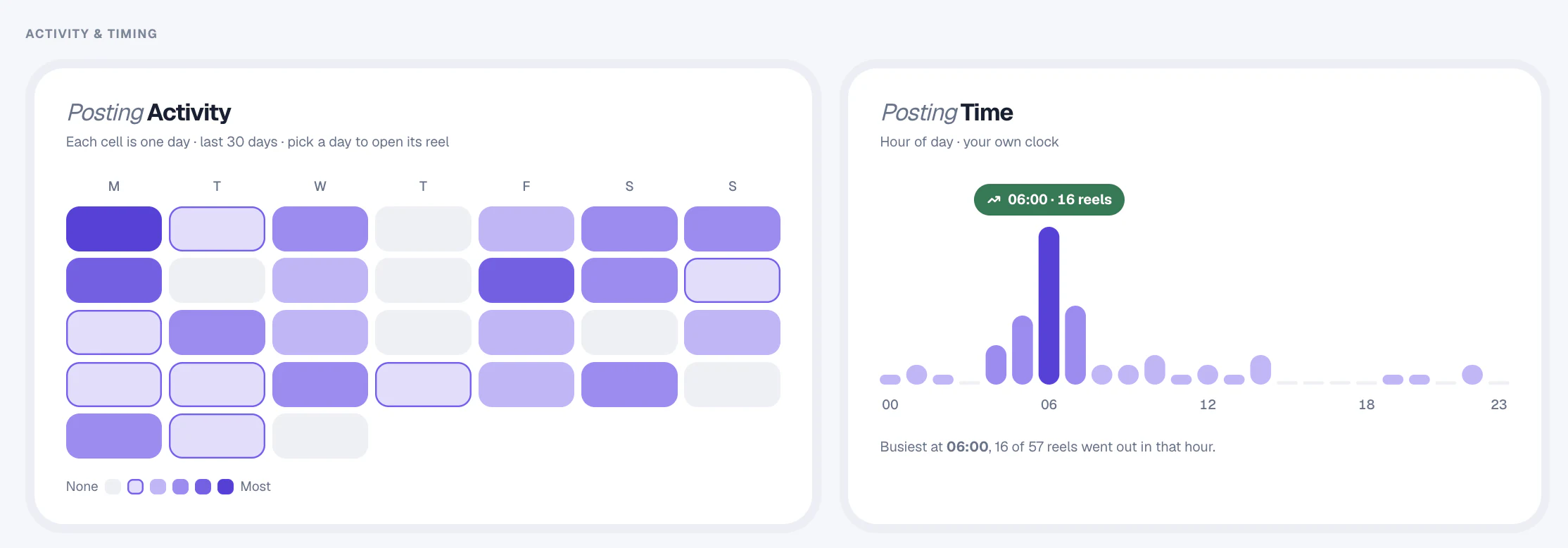
Watchlist shows when a creator posts, which video lengths earn the most engagement and how their views move over time.
Open the outliers, study the hook, topic and length, and save the best references. Adapt the idea to your voice rather than copying the video.
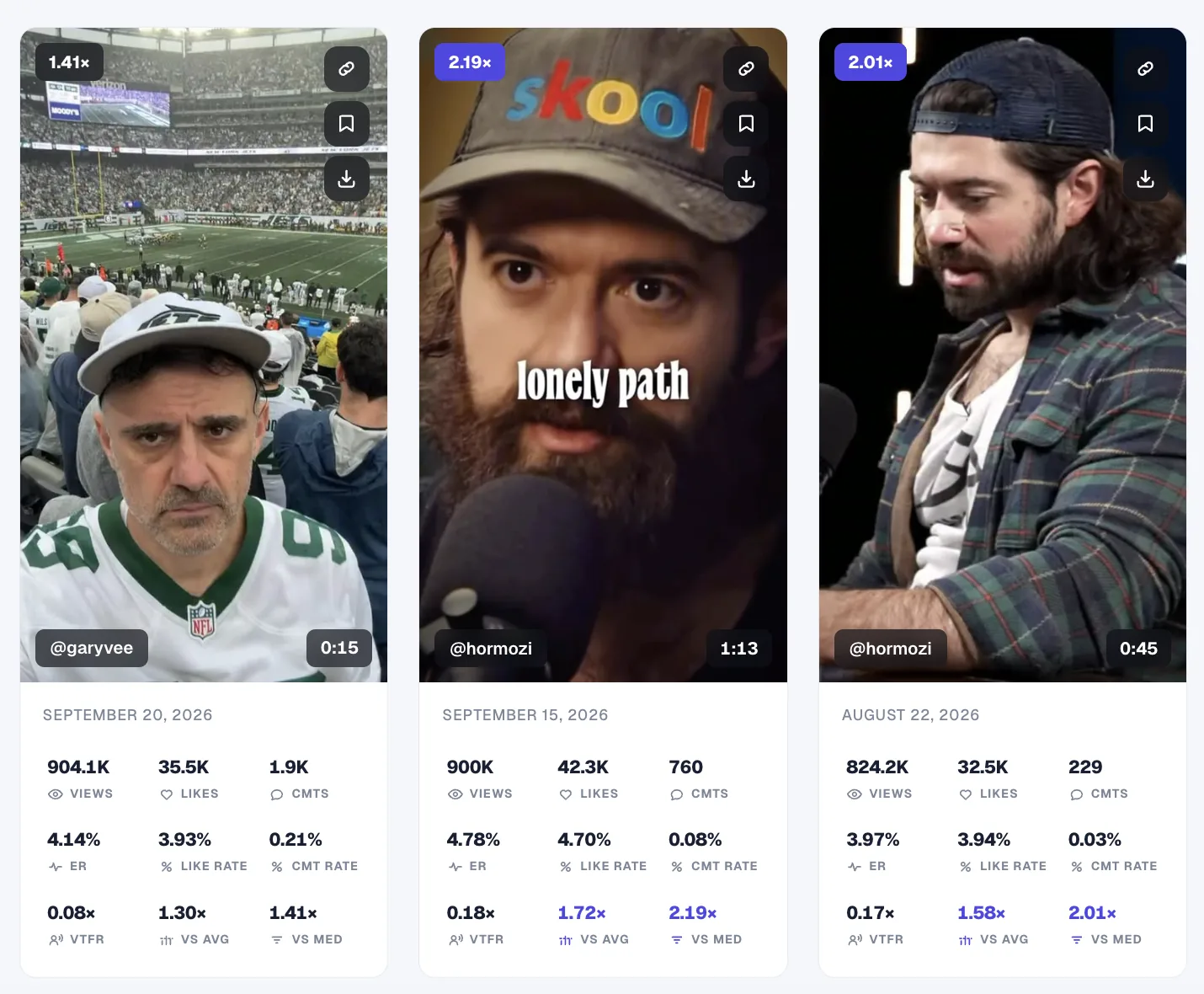
Save standout videos to your Library and download the ones you want to study.
Add your own public profile next to the creators you follow and see how your videos compare.
Instagram, TikTok, YouTube and X, side by side in one workspace.
Add the public accounts in your niche to Statly. Trend Finder ranks their recent videos by how far each one beat its account's median views, so you can open the outliers, study the hook, topic, format and length, and save the ideas worth testing.
The Statly web app tracks videos and posts on Instagram, TikTok, YouTube and X. The free Statly Chrome extension also scans public Instagram, TikTok, X and Reddit profiles while you browse.
Yes. Add your own public profile alongside the creators you follow. Statly reads public data, so it never needs your password and doesn't show private Insights.
A big account's ordinary video can outview a small creator's breakout. Comparing every video with its own account's median views shows which ideas genuinely overperformed, and the median isn't skewed by a single viral post.
No. Statly shows performance data and research references, not a guarantee of views or growth. Your content, audience and execution still decide the result.
Plans start with Starter at €39 a month for 2,000 videos and no account limit. Annual billing includes two months free, and you can try it free first: 500 videos for 3 days, no card needed.
More solutions: For marketersFor agenciesFor social media managersFor operatorsFor developers
Track the creators in your niche and keep current on what is working.
Start tracking from $0No card needed · 500 videos · 3 days