Every account in one place
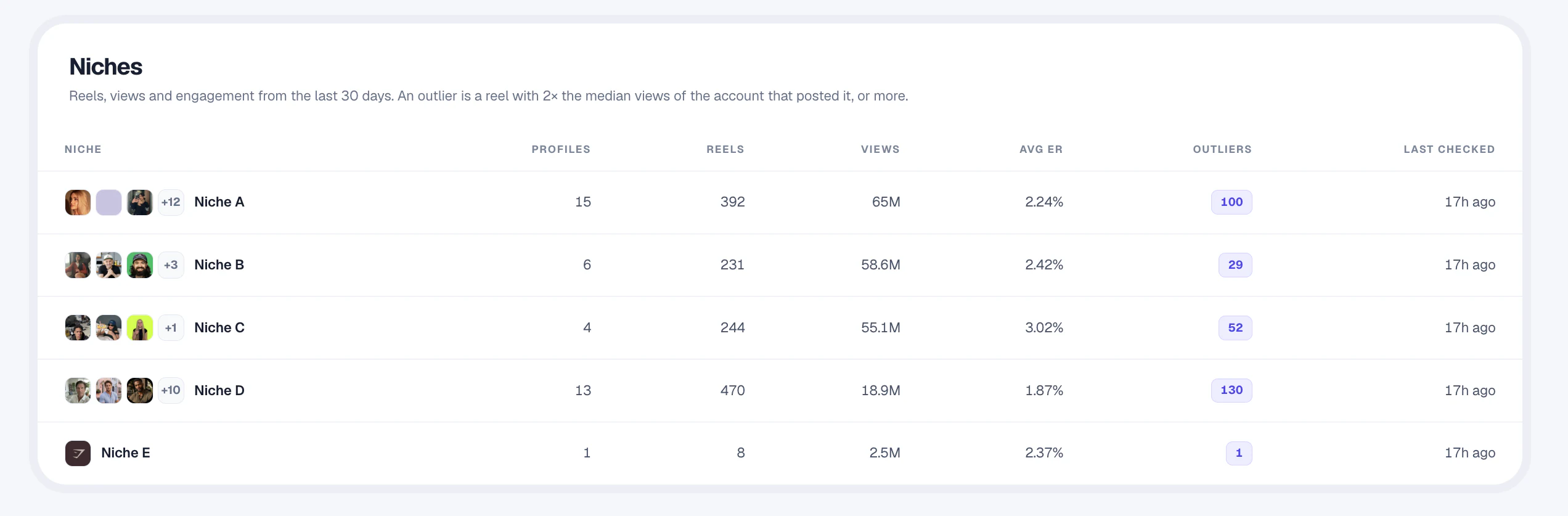
Organize brand profiles, competitors and inspiration accounts into workspaces and niches.
Statly scans active accounts you manage and their competitors daily, checks accounts quiet for 14 days or more weekly, and turns the numbers into tables you can filter, save and export.
No card needed · 500 videos · 3 days
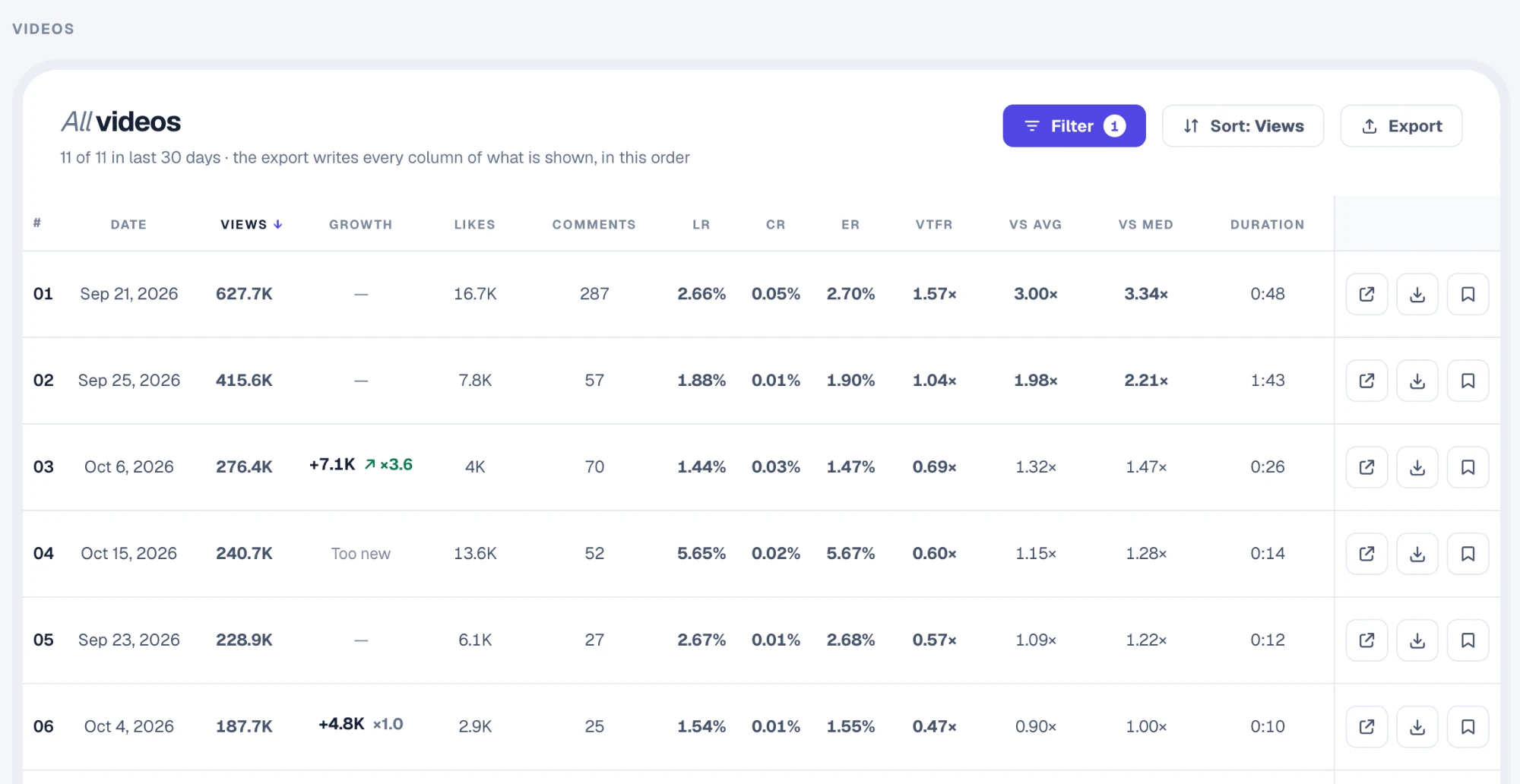
Every video is scored against its account’s median views. Filter the standouts, save references and export any table to CSV for your reports.
Organize brand profiles, competitors and inspiration accounts into workspaces and niches.
Choose a local ready-by time. Statly scans on its servers, so the numbers update while your browser is closed.
Sort and filter every video by views, engagement, length or how far it beat the account’s median.
A clearer routine, with the numbers already collected.
Add brand profiles, competitors and inspiration accounts to the right workspace and niches.
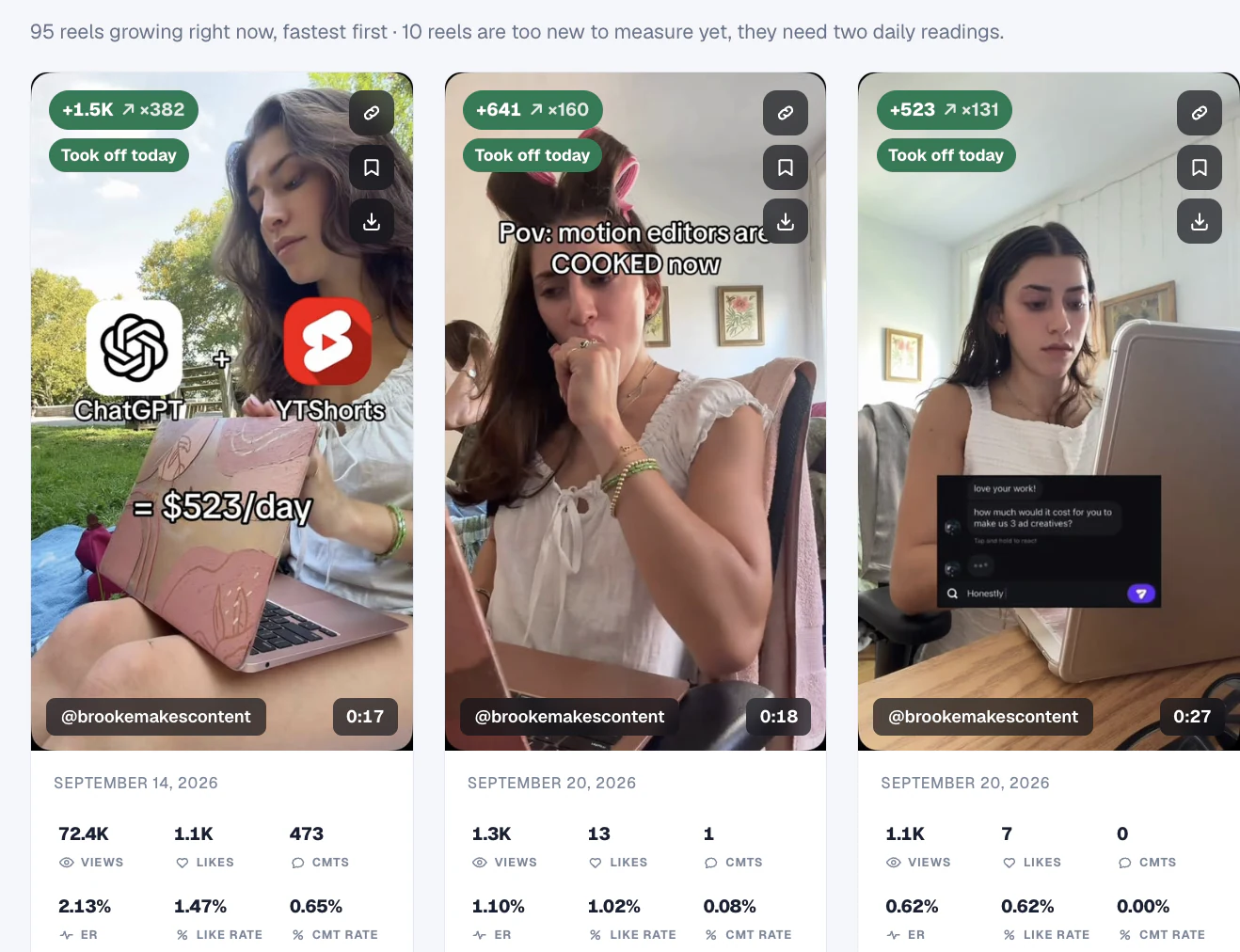
Use Watchlist for each account’s patterns and Trend Finder for the videos that beat their usual results.
Save references and export the data. Use the findings to explain what you want to test, not to promise a result.
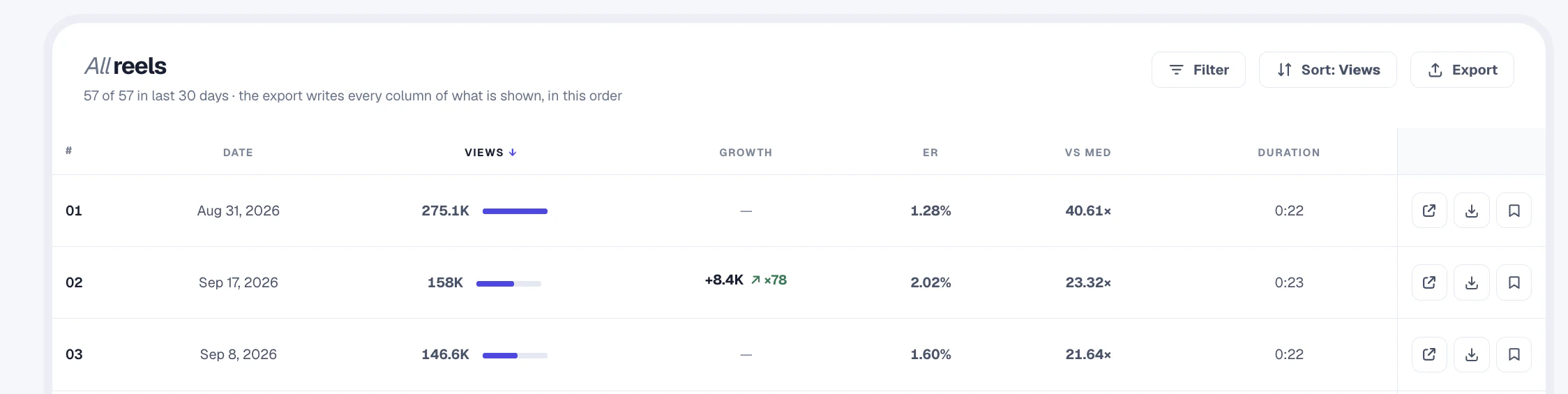
Back each content idea with reference videos and the numbers behind them.
Export exactly what’s on screen to CSV for your spreadsheets and client reports.
Invite colleagues or clients as viewers, and send updates to Telegram, Discord or Slack.
Track the public accounts you manage and their competitors, organize them into workspaces and niches, spot standout videos and export any table to CSV for content planning and reporting.
No. Statly researches public account and video performance. Keep using Insights for private metrics that only the account owner can see, such as reach, retention and profile visits.
No. Statly's schedule sets when your research data is ready, not when posts go out. Use your publishing tool to schedule content.
Views, likes, comments, like rate, comment rate, engagement rate, View-to-Follower Ratio, video length, and how the video compares with the account's average and median views.
Yes. Every table exports to CSV with the columns shown on screen, in the same order.
Starter is €39 a month, Scale €89 and Agency €179, with two months free on annual billing. You can try it free first: 500 videos for 3 days, no card needed.
More solutions: For creatorsFor marketersFor agenciesFor operatorsFor developers
Start with fresh numbers from active accounts. Accounts quiet for 14 days or more are checked weekly.
Start tracking from $0No card needed · 500 videos · 3 days