Viral Running Videos on Instagram, TikTok & YouTube
Find the running videos outperforming their own account's usual views, for inspiration and research to grow your running content.
7 day free trial · Cancel any time
 Health & Fitness
Running
How to Track Viral Running Videos on Statly
1. Create an Account
Start your free trial and add the running accounts you want to follow, from training plans and race recaps to gear reviews and form tips. Works across Instagram, TikTok, YouTube and X.
2. Track Views and Engagement
Statly scans every tracked account daily and records views, likes and comments for each public running video.
3. Get the Outlier Results
Sort your running videos by outlier score to see which beat their own account's usual views, then save the ones worth studying.
Turn What Outperforms Into Your Next Video
Statly follows any public account on Instagram, TikTok, YouTube and X, scores every video against that account's own usual views, and shows you which ones break out. Use what you find to plan your next video.
Cross-Platform Tracking
Follow public accounts on Instagram, TikTok, YouTube and X from one dashboard, with no passwords needed.
Spot Outliers
See which videos beat their account's median views, with an outlier score on every one.
Organize Your Research
Group accounts into niches and keep the videos worth studying in your Library.
7 day free trial · Cancel any time
1M+ short-form videos analyzed
Track Accounts. Spot Outliers. Plan Better Videos.
Everything you need to follow your niche, see what outperforms and keep the best ideas, across Instagram, TikTok, YouTube and X.
One place to
Research Every Niche You Follow
Add public accounts, group them into niches and see which videos beat their account's usual views. Scans run every day, so you see breakouts early.
Start 7-day Free Trial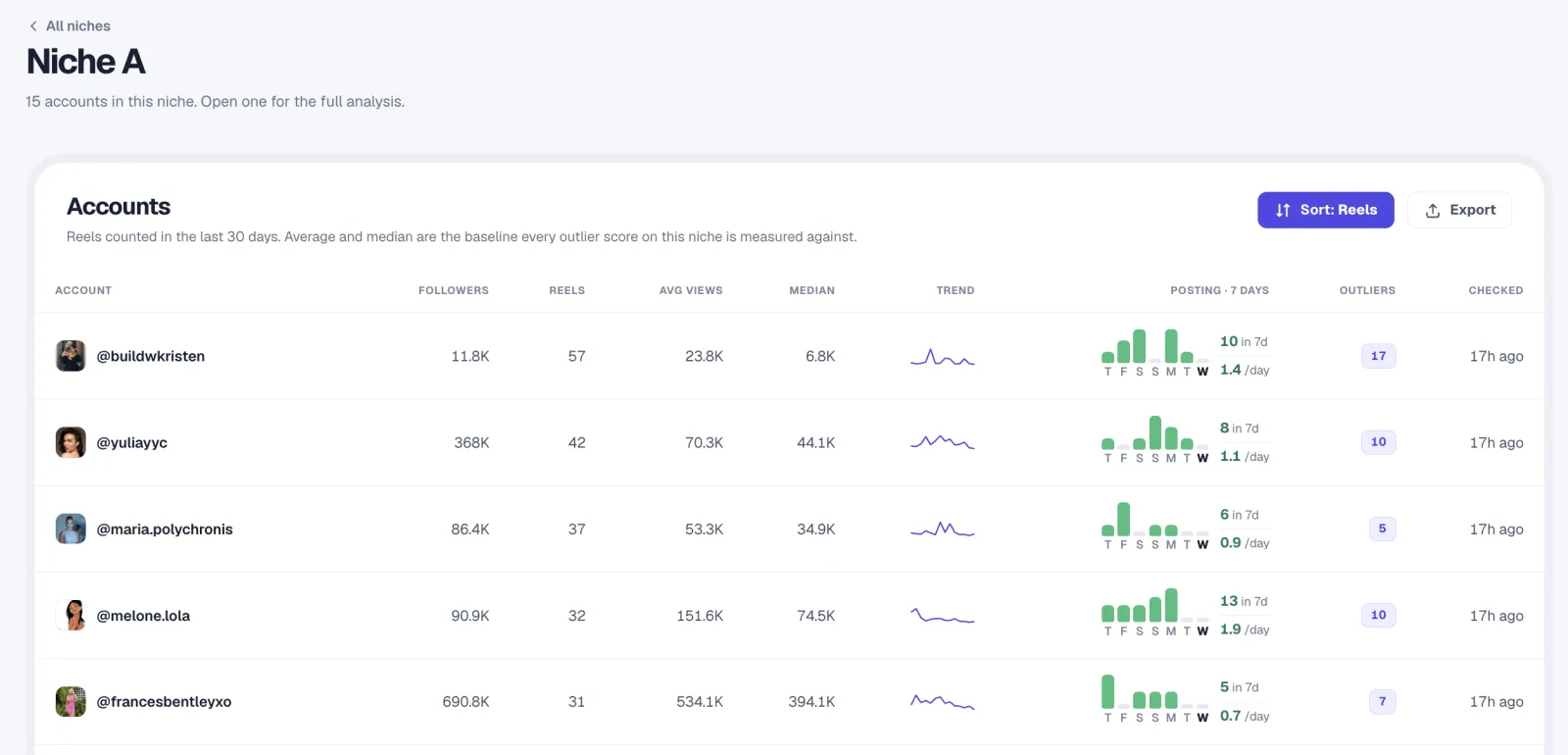
A clearer picture
Dashboard & Analytics
Filter, sort and compare the videos in each niche. See views, engagement and how far every video rises above its account's usual results.
Spot what works
Find Outperforming Videos
Compare accounts side by side and see which videos beat their own median, with each account's median and best result.
What agencies, social media managers and creators say
Great add-on that helps you study videos for clients or personal use. The founder genuinely cares about quality.
I love using Statly to study what content works for different niches and audiences. Super clean and simple, yet powerful.
It's so worth it and I use it every single day. Finding what reels pop in my niche used to take hours, now it's one click.
Explore More Categories
Frequently Asked Questions
Short answers about tracking, outliers and exporting. Need more? Email us.
How does Statly find viral running videos?
Statly compares each video's views with the median views of the account that posted it. A running video that far beats its own account's usual views gets a high outlier score, so you see what stands out for that creator, not just what comes from the biggest accounts.
Can I track running accounts I don't own?
Yes. You can track any public Instagram, TikTok, YouTube or X account, including running creators and competitors. You don't need their password or any access to the account. Private accounts can't be tracked.
Can I see which running videos outperform?
Yes. Every tracked video gets an outlier score: its views divided by that account's median views. Sort by it to see the running videos that beat their account's usual results, then open the original or save it to your Library.
Can I export my running video data?
Yes. Statly lets you export each data table to CSV for further analysis, reporting or sharing with your team.
Is this a ranked list of the most viral running videos?
No. This page does not publish a ranked list. Statly tracks the accounts you choose and shows which of their videos beat their own usual views, refreshed every day. Add running accounts to a niche and the results appear in your dashboard.